
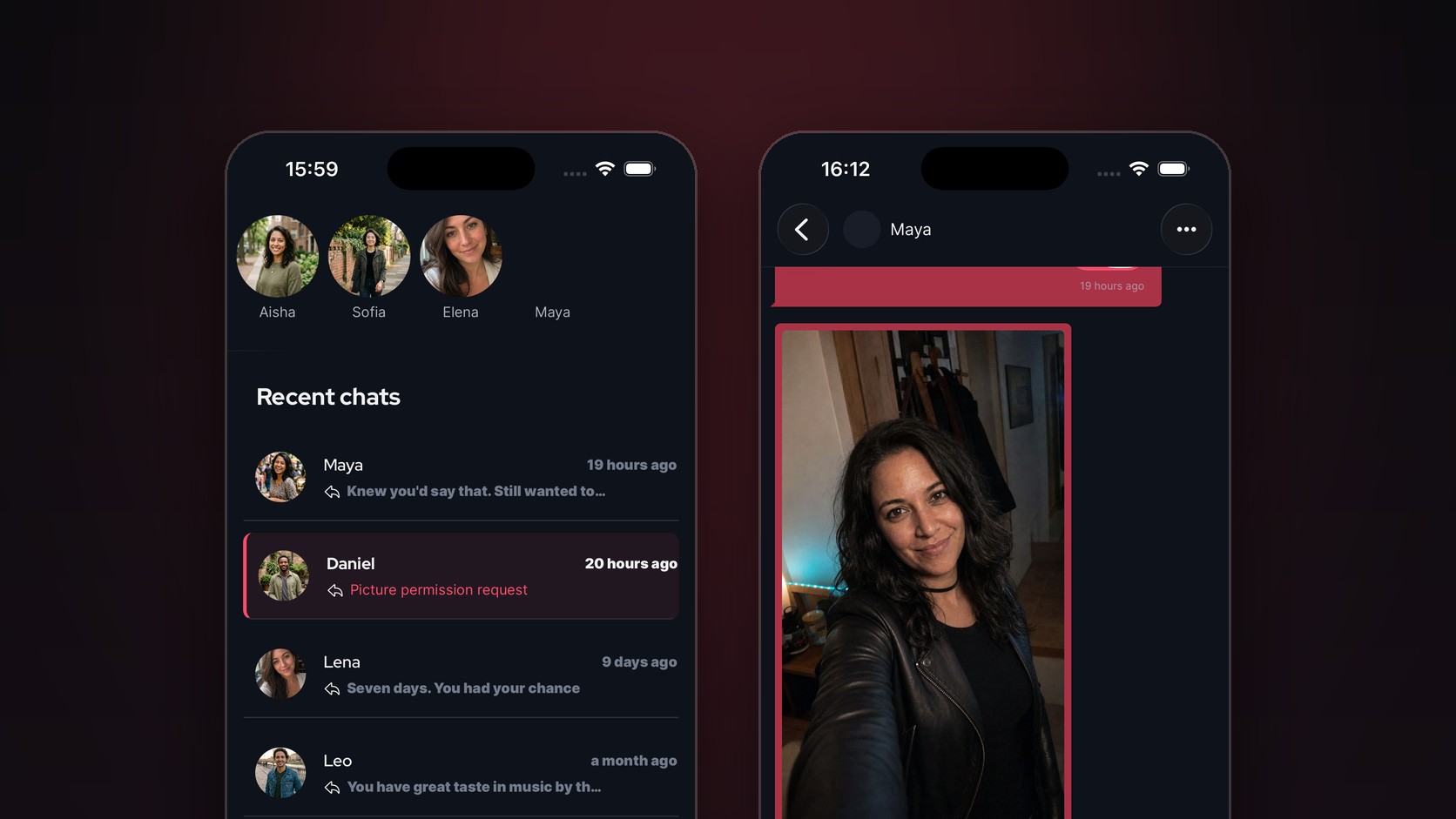
Always wanted to send your match a picture on BeeDee? Now you can!
 BeeDee Team
Not everyone can send you pictures
In BDSM, asking for consent and respecting boundaries are fundamental principles, so it only made sense for Picture DMs to be built around them as well.
Not everyone wants to show their face on a public profile, and we totally get it! That's why picture sharing on BeeDee is turned off by default. You decide who can send you pictures by managing the permission in your match's settings (tap the "..." in the top-right corner).
So, how do you send pictures in BeeDee?
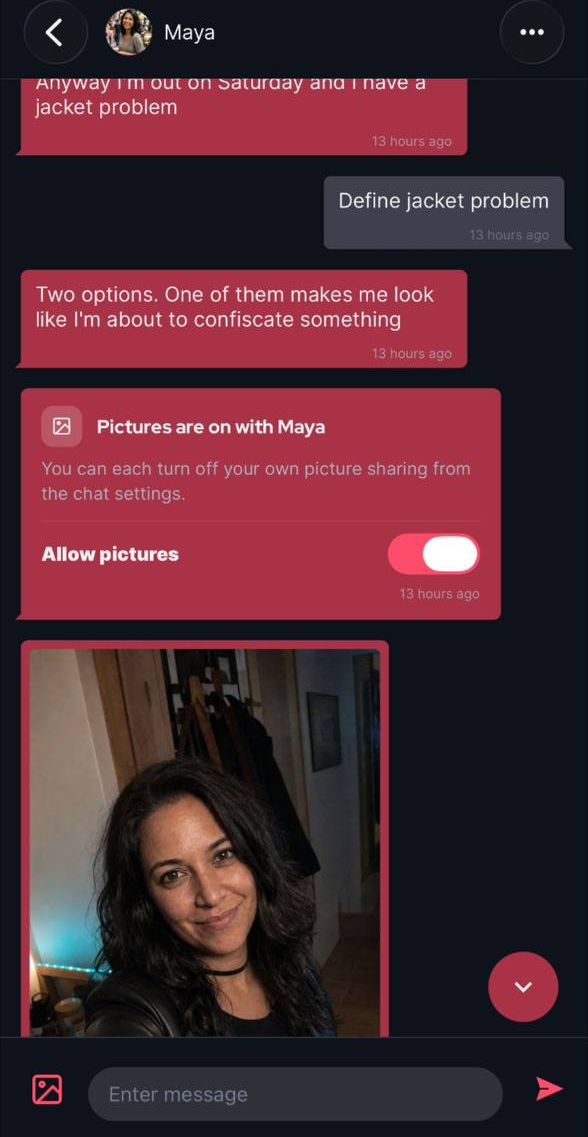
Say you've matched with Maya, and the conversation is going well. She asks for your opinion on her outfit for Saturday. Previously, you would need to move to a different platform to share pictures. Now, Maya can send you pictures of her outfit without leaving the safety of BeeDee.
To send you a picture, Maya first needs your permission. You can grant it by enabling Allow pictures in the top-right corner settings (tap the "..."), or simply wait for Maya to send you a Picture Permission Request.
Changed your mind?
If you no longer want to receive pictures from your match, simply disable Allow pictures.
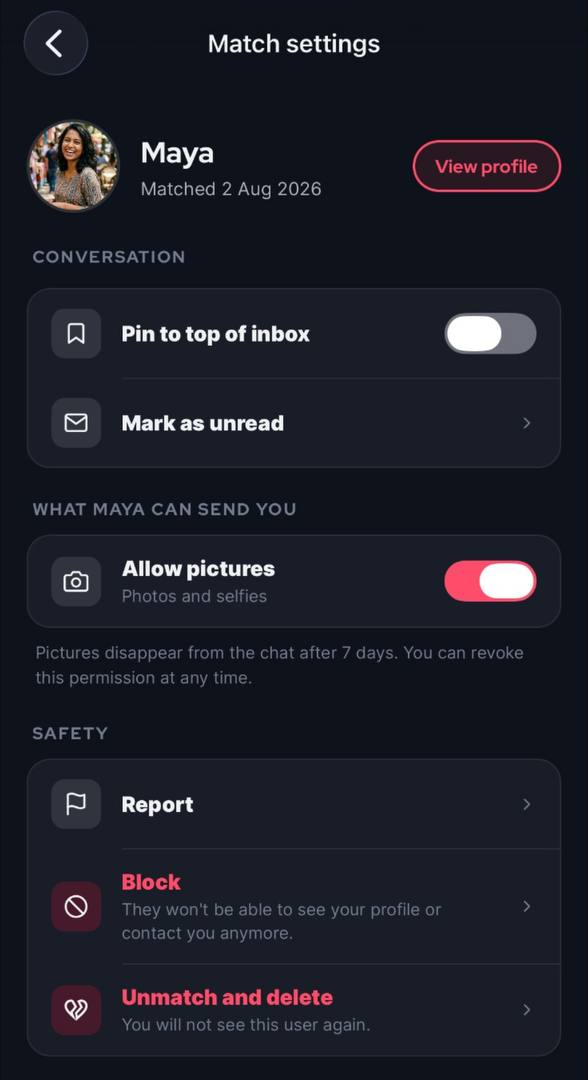
This is a setting per match. You can give one match permission to send you pictures while disallowing a different match to do so.
Do the pictures stay forever?
No. Every picture is automatically deleted 7 days after it's sent. To give you more control, all pictures arrive blurred by default. Just tap a picture when you're ready to reveal it.
Is sharing pictures on BeeDee free?
Yes! It’s completely free and available now. Simply upgrade the app to version 2.5.5 or above if you do not see the buttons in this blogpost.